Images are AI-generated concepts, not verified Xinchao product or packaging specifications.
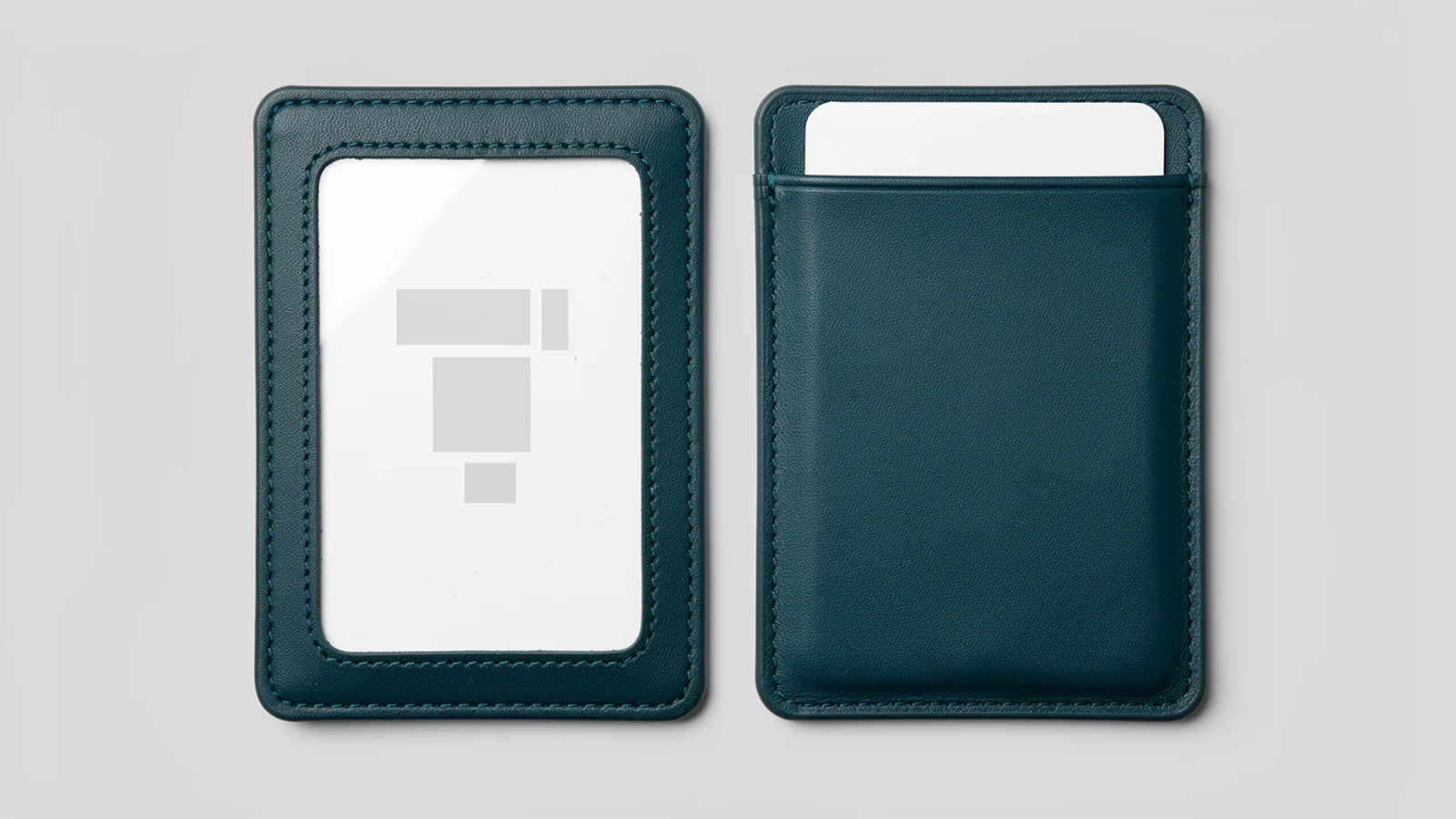
The window vs no-window card holder decision depends on whether information needs to stay visible while the card is stored. A viewing window is worth evaluating for a badge that people must recognize at a glance. An opaque front can suit a card that is normally removed for inspection or simply carried between uses.
For custom leather card holders, do not choose the front style from a product photograph alone. Check the actual card layout, how the holder will be worn and what users need to do at each checkpoint. Visibility, card retention and electronic reading are separate requirements.
Define what people need to see
List the information that must remain visible: a photograph, a name, a department color or an event category, for example. Then distinguish that list from details that do not need to be displayed continuously. Use a dummy card with the intended layout when discussing the design; there is no need to circulate real employee credentials for a general quotation.
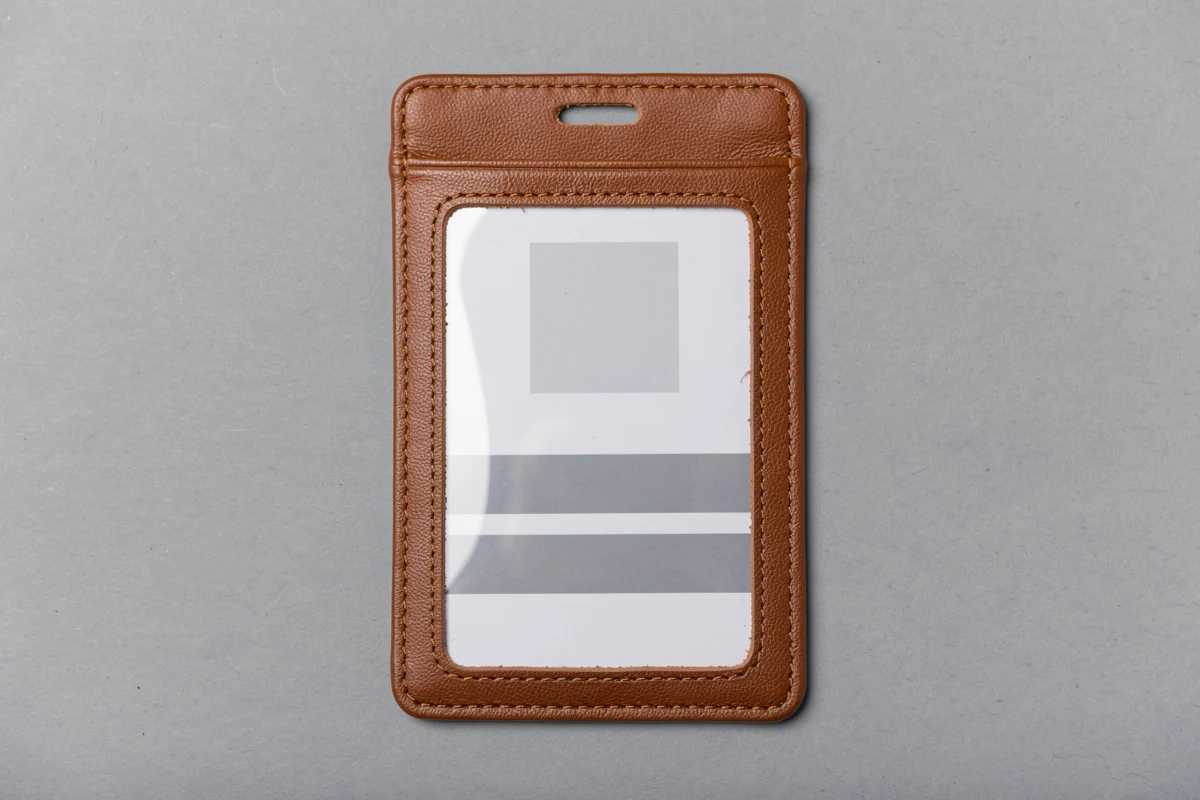
A clear-window design usually gives the viewer access to part of the card face without removal. That does not mean the whole card will be visible. The frame, stitching and window position all need to be checked against the printed layout.
An opaque-front pocket covers the card face to the extent of its physical coverage. It should not be described as a complete privacy or security solution: the card may protrude, the reverse side may be exposed, and the user may still need to display it. Specify the desired coverage instead of making a broad privacy claim.
| Intended use | Style to evaluate first | Approval question |
|---|---|---|
| Staff must visually recognize a badge | Window front | Are the required fields visible while worn? |
| Card is presented only when requested | Opaque front | Can the user remove and return it conveniently? |
| Printed code must be scanned while inserted | Window front with functional testing | Does the actual scanner work through the proposed window? |
| Card is used only for contactless access | Either, subject to testing | Does the complete construction work with the card system? |
| Visible front badge plus separately carried cards | A specifically defined multi-pocket layout | Which information is shown, and which card is presented? |
These are starting points for evaluation, not guarantees that a particular design will meet every requirement.
Compare the visible opening with the card layout
Do not confuse the holder’s outside size, its usable pocket space and its visible window opening. They answer different questions. The pocket must accommodate the card, while the window must expose the required information in the inserted position.
Place a dummy card into the proposed sample and check it as a finished assembly. Is the photograph visible? Does the frame cross the name or cover an event category? Does the card settle into the same position after ordinary handling? A drawing with the card perfectly centered may hide an issue that appears in the sample.
Include all relevant card layouts in the review. If employees and visitors use differently arranged badges, one successful check does not approve both. Keep the list of layouts covered by approval in the order record.
If the opening does not suit the layout, discuss the available options: adjusting the holder design, selecting a different style or changing the card layout with the responsible team’s approval. Do not silently crop a required field or redesign an organization’s badge to fit an existing window.
Review the window as a material component
Ask whether the proposed front is a transparent film-covered window or an uncovered opening. The words “window holder” do not fully describe the construction. Identify the window material or supplier reference where relevant and clarify which sample will be approved.
Look through the sample under the intended lighting and from the normal viewing angle. Check whether reflections, wrinkles or surface marks make important fields harder to see. An image taken straight above the holder in ideal light is not a substitute for this practical review.
Ask for suitable care instructions for the proposed window and surrounding material. Do not assume that a cleaning product used elsewhere in the workplace is suitable for the whole holder. Where cleaning is part of the intended use, have the proposed method reviewed and included in sample evaluation.
A window also does not establish waterproof construction or complete protection from dirt. Treat any environmental-performance requirement as a separate question requiring its own evidence. The front appearance alone cannot establish it.
Test scanning separately from visual readability
A person being able to read a card does not prove that a scanner will read its printed code. If users must scan a barcode or another machine-readable symbol through the window, test the actual sample with an authorized test card and the relevant scanner.
Begin by confirming that the test card scans outside the holder. Then repeat with it fully inserted and positioned as it will be used. Check the reader models and card layouts included in the buying requirement, and record where the result is inconsistent.
Do not claim universal scanner compatibility from one successful demonstration. If a failure occurs, investigate the card, reader, position and window together rather than assuming one component is responsible.
Contactless access is a different test. A transparent window does not prove radio-frequency compatibility, and an opaque front does not prove shielding. Confirm the complete holder’s behavior with the intended card system independently of the visual display decision.
Check removal and return for an opaque front
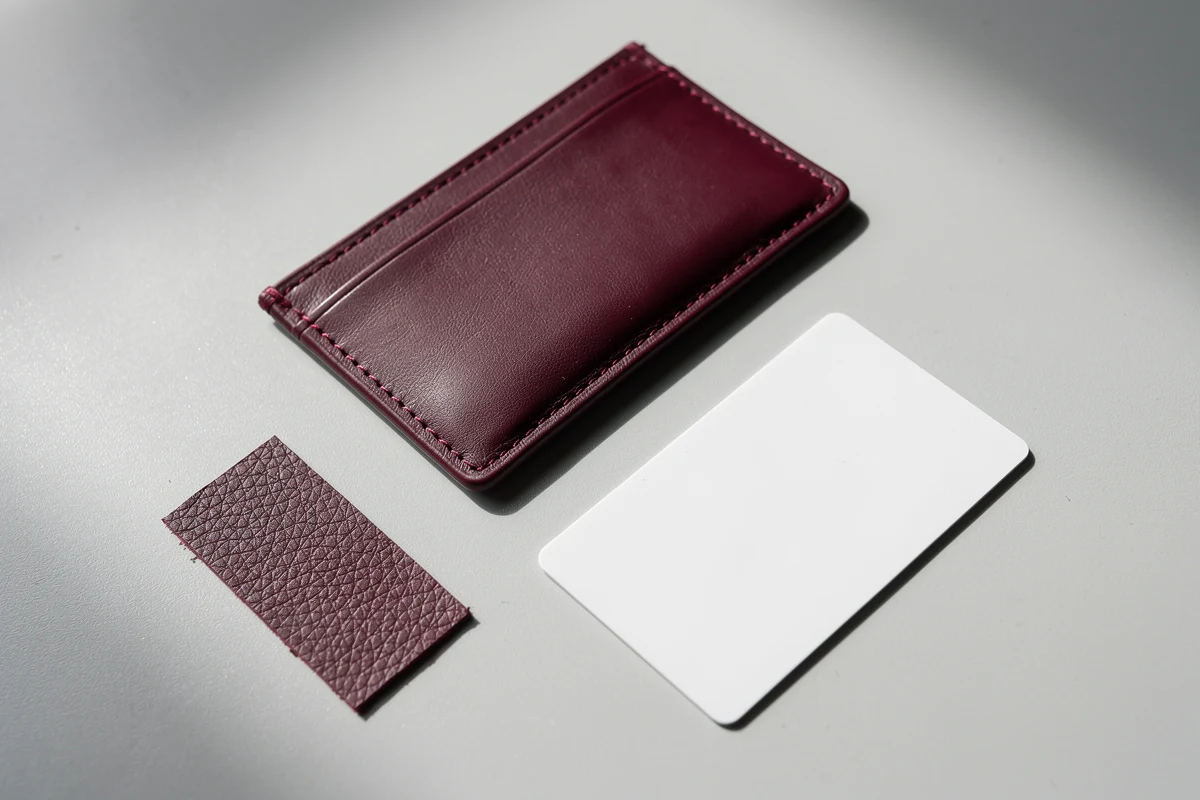
An opaque sleeve may be appropriate when the card is stored between uses and intentionally taken out for viewing. Assess that handling sequence with the actual card rather than assuming that a simple pocket will be convenient for every user.
Check whether the opening provides enough access without forcing or bending the card. Observe whether a user can return it fully to the pocket and whether the intended load stays in place during normal handling. Agree on the evaluation appropriate to the use; do not invent a universal retention test or force value.
For frequently inspected badges, compare the two options in a short trial. Count the handling steps and ask users which actions are awkward. A window may reduce removal for visual checks, but it will not eliminate removal if another task requires the bare card.
Review orientation separately. A window that suits a vertical layout may not suit a horizontal one, and the attachment position must work with the intended wearing direction. Keep the comparison focused on the completed holder rather than only the front panel.
Write the front-style requirement into the inquiry
A useful inquiry gives the supplier enough information to propose a construction without guessing at the use case. Include:
- Card dimensions, thickness and intended quantity per holder.
- A dummy layout showing the fields that must remain visible.
- Required orientation and wearing or carrying method.
- Transparent film window, uncovered opening or opaque-front preference.
- Any printed-code scanning and contactless reading requirements, listed separately.
- Expected removal frequency and handling constraints.
- Logo position, material preference and order quantity.
- The sample checks required before approval.
Keep the final approval tied to the actual sample and the card layouts used during evaluation. If the window size, front construction or card design changes, revisit the affected checks before accepting the revision.
FAQ
Is a window card holder always better for an employee badge?
No. It is useful to evaluate when information must remain visible while worn. If the card is normally removed or does not need visual display, an opaque-front style may also be suitable. Choose around the actual use and sample checks.
Does the window show the whole card?
Not necessarily. The frame and window position can cover part of the card face. Check the visible opening against a dummy version of the actual badge layout with the card fully inserted.
Can a barcode be scanned through a clear window?
It may be possible, but it must be tested with the proposed window, card layout and scanner. First verify scanning outside the holder, then check the inserted card under the intended conditions. Do not assume universal compatibility.
Does an opaque card holder block RFID reading?
An opaque front does not establish RFID shielding. Visual coverage and contactless reading behavior are different requirements. Test the complete construction with the intended card system and request evidence for any shielding claim.
What should I send when requesting a window holder sample?
Send card dimensions and thickness, a dummy layout, the fields that must remain visible, orientation, carrying method and any scanning requirements. Also identify the preferred front construction, material, logo position and quantity.
To review a suitable front design, contact Xinchao with a dummy card layout and a description of how the holder will be used.