Images are AI-generated design concepts, not production photographs or approved Xinchao specifications. PU denotes synthetic leather, not genuine leather.
A custom employee ID card holder should make the required badge information easy to see before it adds decoration. Define what colleagues or reception staff need to read, then place the printed border, shaped outline and layered details around that viewing area. An attractive frame is not a successful design if it hides part of a name, photograph or role indicator.
For Japan-facing workplace merchandise, a printed PU leather card holder can be developed as part of a coordinated staff identity. PU is synthetic leather, not genuine leather. This guide is a purchasing and sample-review framework: it does not establish company security rules, access-control compatibility or a universal production specification.
Start with the workplace identification task
Ask the workplace owner which information must be displayed and which should not appear on the holder itself. A reception team, exhibition team and back-office team may have different requirements. The case should follow that approved brief, rather than requiring the badge designer to rearrange essential information around a decorative border later.
Japanese suppliers explicitly present pass cases as workplace items. For example, Shinwa's custom pass case page describes company-logo and corporate-color designs for employee ID cases. This supports the application, not a claim about Xinchao's stock, material performance or delivery terms. The following checks should be agreed for the actual project.
Use a dummy badge with the same layout as the intended card. Replace real employee details with clearly fictional examples before sharing design files. Include a long sample name, the intended portrait area and any required department line. A blank card is useful for a product photograph, but cannot demonstrate that a real badge layout remains readable.

Map the visible area before adding print
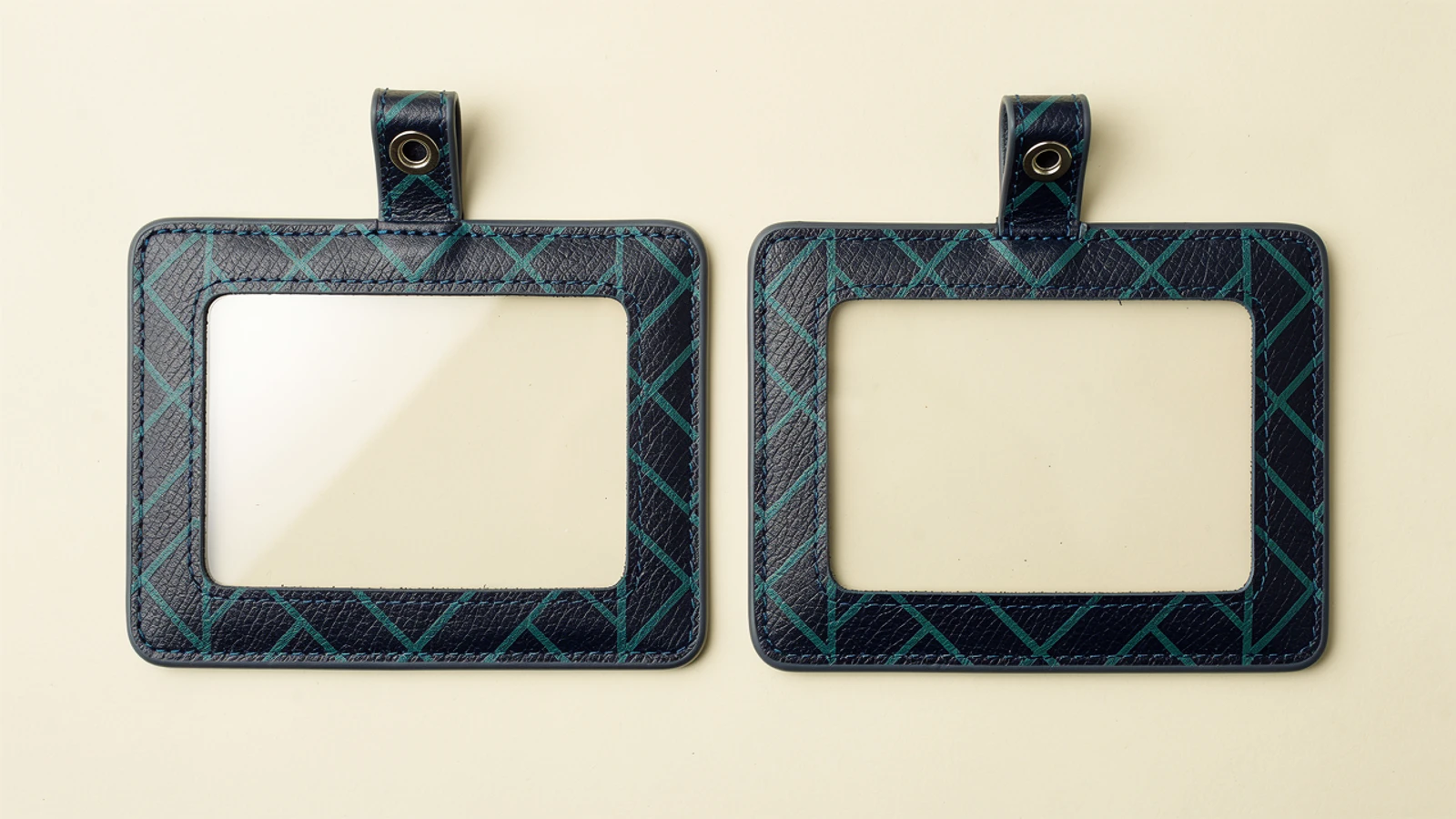
Distinguish the outside dimensions, the card pocket and the visible window. They are three different boundaries. A card can fit inside the pocket while some of its printed information sits behind the surrounding frame. Mark the required information zone on a working drawing and compare it with the proposed opening.
Check the card in its normal seated position and wherever it can move during use. Do not approve a window only with the card held perfectly centered by hand. If movement hides essential details, the construction or badge layout needs review. Avoid inventing a universal clearance: the supplier should confirm the particular pocket and window arrangement through a sample.
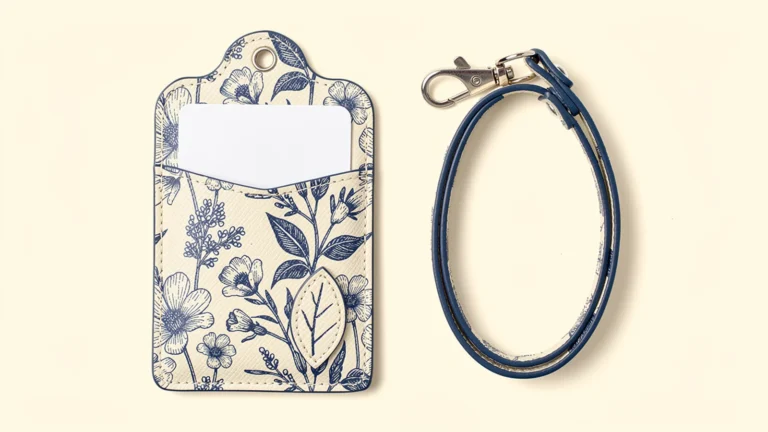
Keep the printed border outside the required viewing area. A full-color botanical or geometric pattern can carry the brand palette without extending across the badge. A real thin PU overlay should likewise stay clear of the window and insertion path. If the design deliberately covers information, obtain agreement from the workplace owner rather than treating that as a decorative decision.
| Decision | Input to request | Sample check |
|---|---|---|
| Required display | Approved dummy badge layout | Every required field remains visible |
| Window placement | Window and pocket drawing | Card movement does not hide key fields |
| Printed border | Final artwork version | Pattern stays outside the display zone |
| Attachment | Selected hardware and position | Holder sits in the intended orientation |
| Reverse storage | Contents and independent pockets | Stored items do not distort the badge face |
Review viewing conditions and card access separately
Place the sample under the lighting expected for the workplace and inspect it from the usual viewing position. If a clear window is used, note reflections, surface appearance and any obstruction to the dummy badge. Do not infer anti-glare or scratch-resistance performance from a studio concept image. If those properties matter, request relevant material information and an agreed evaluation method.
Check the assembled holder with the selected attachment. A case that looks straight on a tabletop may turn or tilt when suspended. Review whether the badge face stays in the intended direction and whether the attachment lies across the window. This is an observation task, not a basis for an anti-loss guarantee or an unsupported load rating.
Then review insertion and removal as a separate action. Use the intended card with its sleeve if one is required. Confirm that fingers can reach the opening without bending the card around the frame or decorative layer. If staff need to remove the card for a reader, make that action part of the brief from the beginning.
Access-control operation must be checked with the actual card and relevant reader setup. Appearance does not establish contactless performance, and adding extra cards changes the evaluation conditions. Do not describe an ordinary holder as RFID-blocking or universally reader-compatible. Follow the organization's approved card-use procedure.

Decide what belongs on the reverse
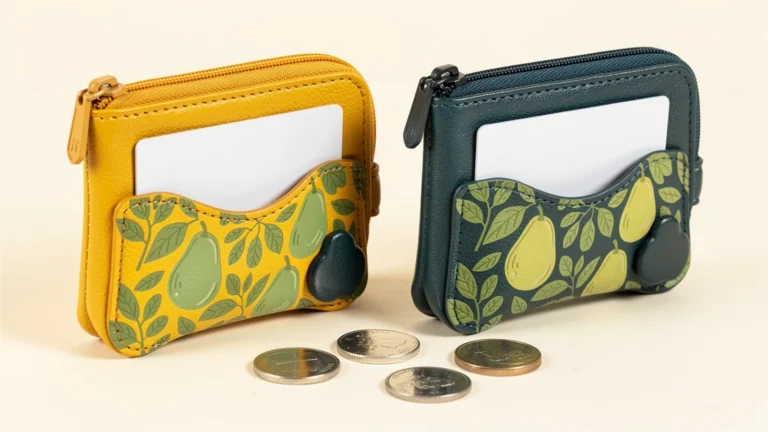
Separate display from storage. A front badge window and a second independent pocket can serve different tasks; a printed reverse face is not automatically another usable pocket. One or two card pockets can be an initial layout proposal. Three to five require a specific reason and a review of access, layers and loaded use, rather than being added as a default upgrade.
If the reverse stores a second card, determine whether it needs to be visible or simply accessible. Avoid using a generic “double-sided” description that leaves this unresolved. Check the assembled sample with both intended contents, and record whether the second item presses against the badge or makes either opening difficult to use.
Do not print employee numbers, internal system details or other information onto an exterior surface merely to fill unused space. Have the responsible organization approve what belongs there. An opaque printed panel can change what is visible from one side, but it is not a complete privacy or security control: the holder may turn and cards may be removed.
For artwork placement on both faces, see the double-sided pass case artwork guide. This employee-badge brief starts with the information task, while that guide covers the wider print-layout process.
Use shaped details without weakening the brief
A curved top contour, an asymmetric outer corner or a small leaf-shaped overlay can differentiate the design. Keep the card storage area functional and leave room around the attachment. Ask the sample maker to identify which outline is decorative and which belongs to the pocket or reinforcement.
Describe layered decoration as a real separate piece when that is what is intended. Printed shading and physical layering are not interchangeable specifications. The fixing method, exposed edges and position need confirmation. For the workplace application, a subtle detail outside the information zone is a more focused proposal than an ornament that competes with the badge.
Approve print color and viewing function independently. A successful color match does not resolve a hidden name line; an improved window does not approve a changed corporate color. Record each decision against the same sample revision so the final approval cannot accidentally combine two incompatible versions.
Create a repeatable issue and replacement record
Keep the dummy badge, approved artwork, material reference, window drawing, pocket count and hardware selection together. Photograph the assembled sample with the card in place, from the front and reverse. Record what was checked, what changed and who approved the final configuration.
For replacement stock, identify the component version rather than relying on a description such as “the blue employee case.” If the badge layout later changes, reopen the display-area check even if the holder's exterior is unchanged. Likewise, a different strap or ring needs an assembled-orientation review.
An RFQ should state the quantity, artwork versions, intended card layout, attachment, packaging and required date. Ask the supplier to confirm feasibility and commercial terms for that specification; do not assume a fixed MOQ or sample lead time. The Xinchao leather card holder overview is the product starting point, while the approved identification task defines the finished workplace item.
FAQ
Should the printed border overlap the badge window?
Keep it outside the required information area unless the workplace owner explicitly approves another layout. Check the actual dummy badge in the sample, not just an empty window.
Does a card that fits inside the holder guarantee a readable badge?
No. The storage area and visible window are different boundaries. Check that required fields remain visible when the card is seated and can move within the pocket.
Can an employee ID holder include a second card pocket?
Yes, as a design proposal. Specify the second pocket independently and check both intended contents together for access, bulk and any effect on the badge face.
Does a clear window guarantee access-card compatibility?
No. Evaluate the intended card and reader setup and follow the organization's procedure. A window does not establish contactless or RFID-blocking performance.
What information should be used for sample proofing?
Use an approved dummy badge that reproduces the required layout without real employee details. Keep the artwork, window drawing, pocket configuration and attachment reference with the approval record.
To discuss a printed employee ID card holder, send Xinchao a dummy badge layout and design brief with the display and storage requirements clearly separated.