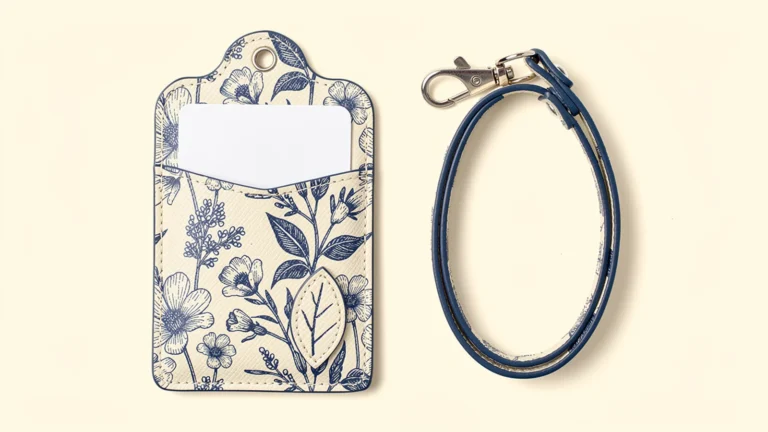
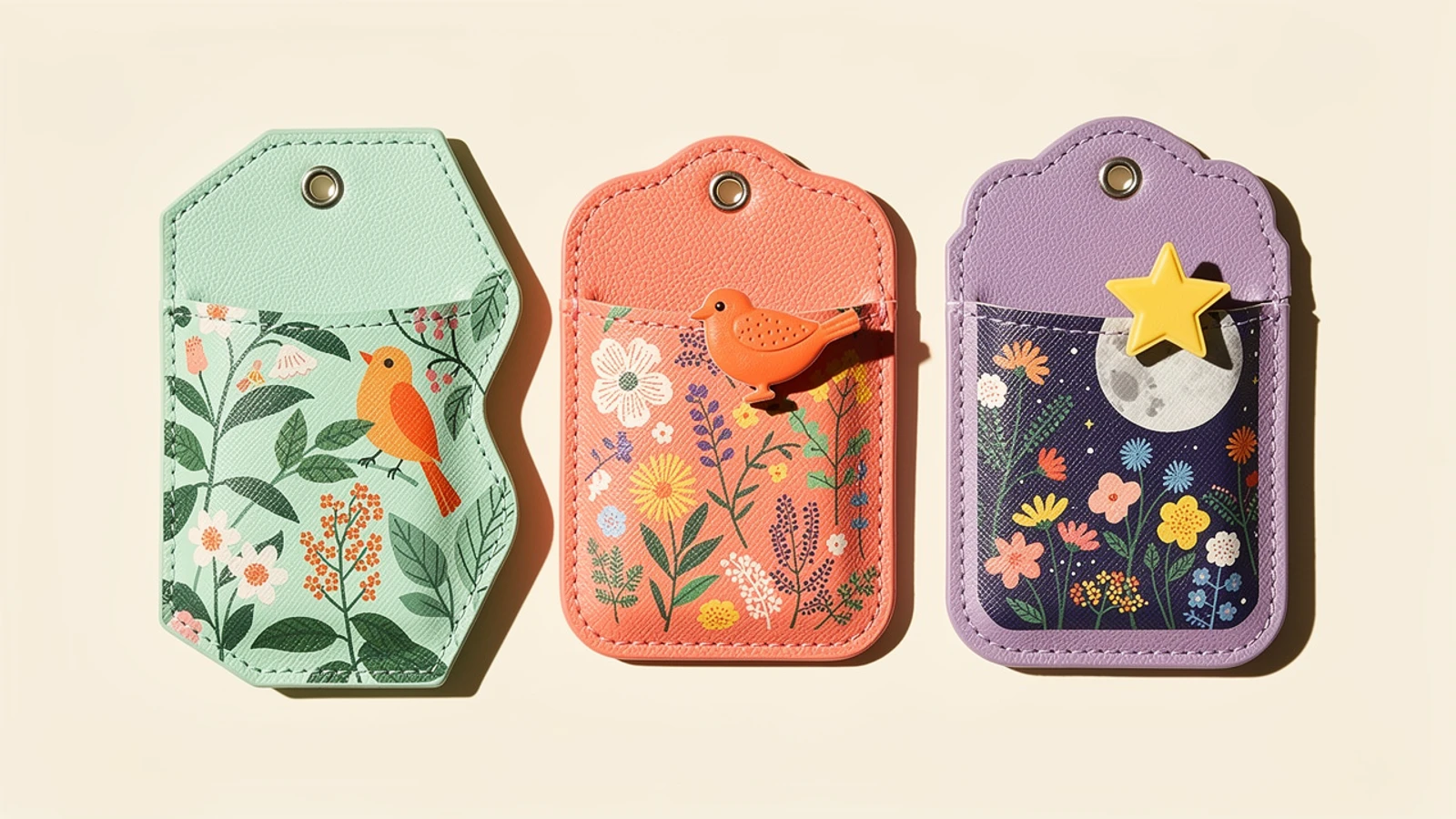
Images are AI-generated design concepts, not production photographs or approved Xinchao specifications. PU denotes synthetic leather, not genuine leather.
A custom printed pass case can combine a colorful illustrated surface, an irregular outer silhouette and a separately cut panel layered over the base. The strongest design starts with a usable card pocket, then builds the decoration around it. Printing, cutting and physical layering should be specified separately so a visually appealing concept can be reviewed as a practical product.
This guide is for merchandise planners, promotional-product buyers and OEM teams developing leather-style card holders for the Japanese market. In this article, the illustrated material is PU synthetic leather, not genuine leather. For available product directions, see Xinchao’s custom leather card holder overview; the feasibility of a particular shape, material and assembly should be confirmed through a project review and sample.
Choose the design effect before preparing artwork
Three different decisions are often combined in one reference image. Full-color printing carries the illustration. A custom-cut outer contour changes the silhouette. A separate material panel adds physical depth. You can combine these effects, but each needs its own specification.
| Design approach | What changes | What to approve |
|---|---|---|
| Printed rectangular case | Artwork on the surface | Color, detail, placement and usable pocket |
| Die-cut or custom-shaped case | Outer contour follows selected parts of the design | Cut outline, protrusions, stitching route and card space |
| Layered printed case | A separate printed panel sits above the base | Panel outline, overlap, attachment and assembled thickness |
Here, “die-cut” describes the shaped-product concept. Confirm the actual cutting method and any tooling with the supplier. Likewise, a layered effect does not mean 3D printing, and shading printed on a flat surface is not a separate physical layer.
For a first sample, decide which feature carries the design: the illustration, the silhouette or one raised focal element. Adding all three everywhere can make the production brief harder to interpret. A clearly defined focal panel is easier to evaluate than a reference image with many unspecified overlapping pieces.
Protect the rectangular card area inside the irregular outline
Start with the intended card’s dimensions, thickness, quantity and insertion direction. Keep the usable pocket area identifiable in the drawing even if the outside follows a leaf, cloud or character silhouette. A larger decorative outline does not automatically create more storage space.
Mark the card opening, rear window if needed, stitch route and strap attachment. Check whether a protruding feature sits where fingers must grip the card or where the strap hardware will move. Ask the supplier to review narrow extensions and tight internal corners rather than assuming every detail in an illustration can become a durable cut shape.
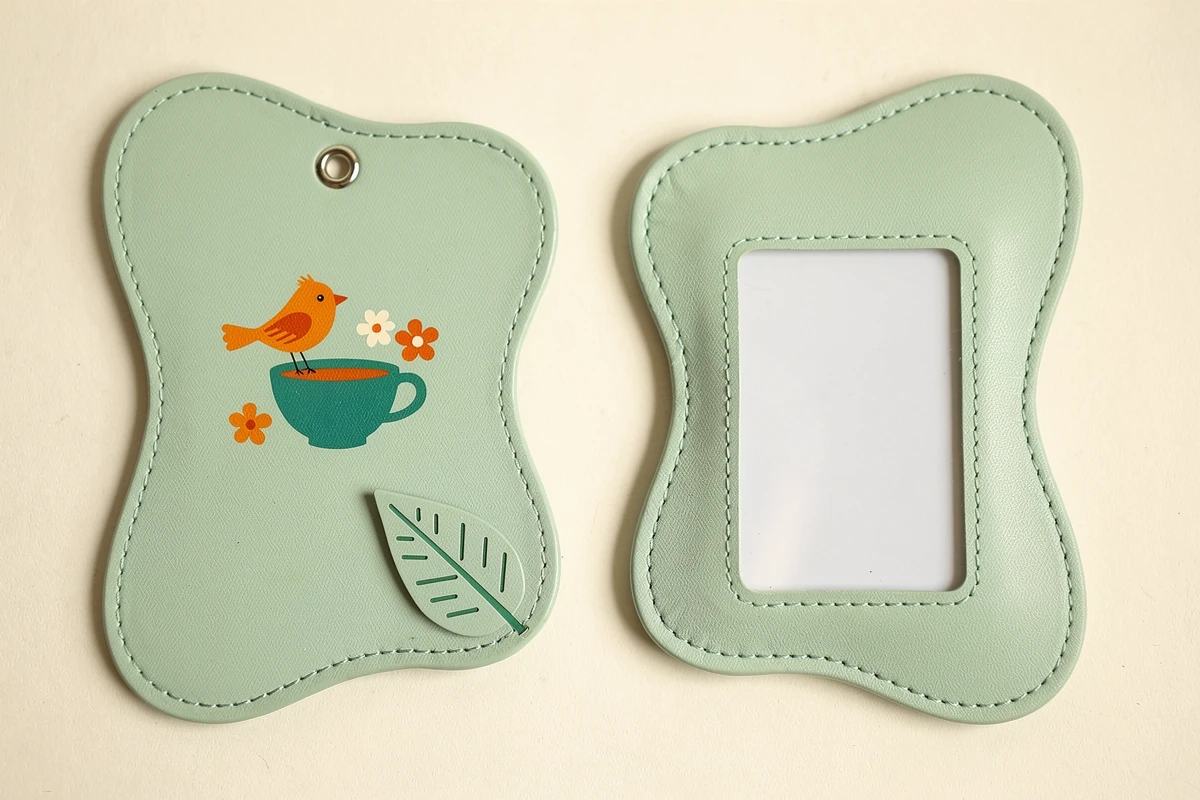
Use a front view and a back view of the same design. The front establishes the merchandise artwork; the back establishes card access and display. If those views disagree about the opening or attachment point, resolve the difference before requesting a finished sample.
Do not promise that an inserted transit or access card will work with every reader. If reading through the holder is required, test the actual card, assembled construction and relevant reader separately. An attractive silhouette does not establish electronic compatibility.
Specify physical layers separately from printed shadows
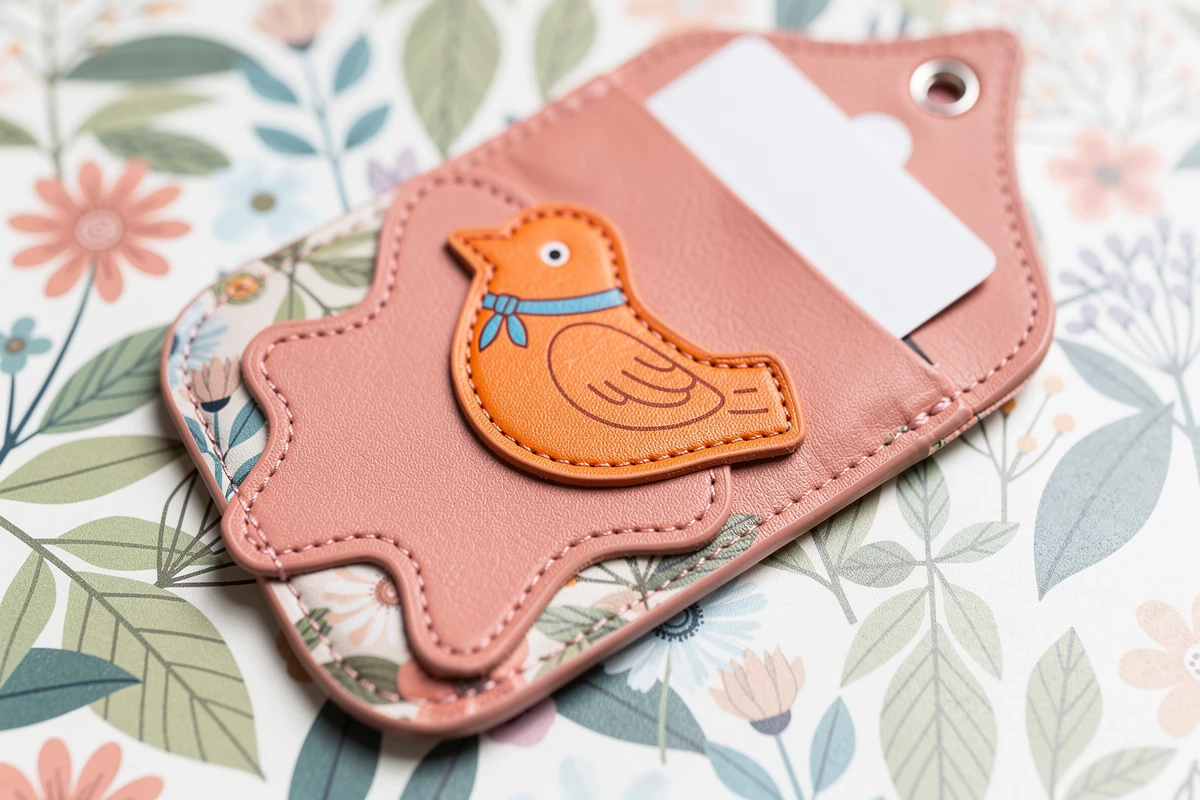
For a layered design, label the base panel and each added piece. Show which edges remain exposed and which areas overlap. The print file for the upper piece should be distinguishable from artwork printed directly on the base.
A bird illustration can, for example, be printed on a separate PU panel placed over a botanical background. The background remains a flat print; the upper panel creates a real step. That is different from printing a shadow around the bird on one flat sheet.
Ask the supplier to propose a suitable attachment method for the chosen materials and geometry. Do not infer the attachment from a rendering. Review the sample from the side, inspect accessible panel edges, and check whether the assembly interferes with insertion or ordinary handling. If the customer requires a specific attachment-performance test, agree on the method and acceptance criteria before approval.
Keep the required depth realistic for the product’s purpose. The article’s generated images illustrate design directions, not approved layer thicknesses, tooling drawings or evidence of a tested construction.
Prepare a print-and-cut file that can be reviewed
Provide artwork at the intended finished size together with clearly separated production information. A useful handoff distinguishes the visible print, outer cutting outline, added-panel outlines, stitch route, card opening, window and attachment-hole position.
Ask the supplier for the appropriate template and required bleed and safe areas. Do not borrow a fixed allowance from an unrelated printing product. Keep faces, small lettering and important symbols clear of areas that may be covered by stitching, an upper panel or hardware.
For Japanese text, check the actual characters and readability at final size. Supply the agreed font treatment, such as outlined text where requested, and retain an editable master. Review product names, kana and any punctuation deliberately rather than approving a thumbnail because the illustration looks correct.
If the artwork includes licensed characters, performers or another organization’s branding, supply artwork that you are authorized to use and identify the approval contact. A reference image is a design brief, not evidence of permission to reproduce every element in it. The concepts shown here use original motifs rather than reproducing the reference products’ characters or logos.
Approve printing on the actual proposed material
Keep the material specification explicit. PU synthetic leather and genuine leather are not interchangeable descriptions, and approval on one material should not silently transfer to another. Record the proposed surface texture and finish with the sample reference.
For full-color printing, ask how the selected process will handle the material’s base color and whether any white underlayer is proposed. Review the actual printed sample for pale colors, fine outlines, solid areas and alignment near the cut edge. Do not promise identical color from a screen preview alone.
Compare the upper printed panel with the base after assembly. Check whether a face or key design detail is cropped, whether the intended overlap is clear, and whether the print still reads as one composition. A satisfactory loose printed swatch does not approve the assembled layered product.
Send an OEM inquiry that separates the variables
For a Japanese-market merchandise project, organize the inquiry so design, sampling and delivery assumptions are visible:
- Intended use, card specification and pocket layout.
- PU synthetic leather or another clearly identified material request.
- Front and back artwork, outer contour and separate layer drawings.
- Print areas, color references and any Japanese text requiring approval.
- Strap, reel or other accessory requirements, if included.
- Quantity per design and colorway, not only the combined total.
- Packaging contents and any buyer-supplied label artwork.
- Required delivery destination and target date, separated from sample-approval timing.
Ask the quotation to distinguish tooling, sampling, printing, additional layers, accessories and packing where applicable. Do not assume that changing a character image while retaining the general outline has no setup implications. Have the supplier identify what changes between variants.
Minimum quantities, sample schedules and production timing should be confirmed for the actual project. This guide does not establish a standing small-order offer or guaranteed delivery schedule.
Review the finished sample in a fixed sequence
First, compare the assembled front and back against the approved drawings. Next, inspect the print and cut alignment, then the layered panel and its exposed edges. Insert the intended card, check removal and return, and review the complete accessory arrangement. Finally, place the assembled product in its proposed packaging.
Record each issue against a named sample revision. Separate “artwork approved” from “construction approved” and identify any variant still awaiting review. This prevents a successful color check from being mistaken for approval of the pocket, layering or hardware.
For a first project, a clear approved sample is more useful than an ambitious rendering with unresolved structure. The purpose of the design review is to preserve the illustrated concept while confirming how the actual pass case will be made and used.
FAQ
Can a custom printed pass case have an irregular shape?
An irregular outline can be proposed, but the card pocket, stitch route, attachment point and narrow protrusions must be reviewed together. Confirm the cutting method and feasibility with the supplier before approving the shape.
Is a layered pass case the same as 3D printing?
No. A layered design uses separately cut material panels assembled above a base. It is also different from a flat print that uses shadows to create the appearance of depth.
Is PU leather the same as genuine leather?
No. PU leather is a synthetic material. Identify the actual material in the inquiry and sample record, and do not transfer approval between PU and genuine leather without reviewing the change.
What artwork is needed for a printed, shaped pass case?
Provide front and back artwork, the outer cutting outline, separate layer outlines, pocket opening, stitch route and attachment position. Confirm the supplier’s template, bleed and safe-area requirements before finalizing the files.
What should be confirmed before ordering several designs?
Confirm quantity per design, shared and changed outlines, layer construction, print areas, accessories, packaging and approval requirements. Ask the supplier to identify the sampling, tooling and setup implications for each variant.
To discuss your design, contact Xinchao with the artwork, proposed silhouette, layer sketch and quantity per variant.