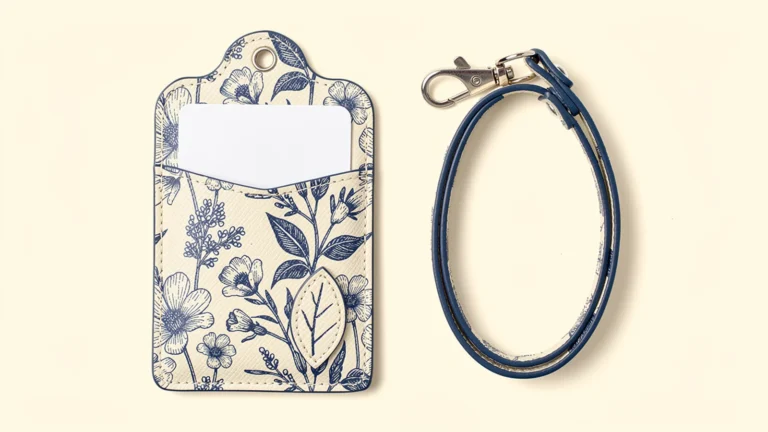

Images are AI-generated design concepts, not production photographs or approved Xinchao specifications. PU denotes synthetic leather, not genuine leather.
A custom photo card pass case should be designed around the complete insert, not just the picture visible through its window. Confirm the photo's outer dimensions, the image area, any protective sleeve and the intended pocket arrangement before approving the printed frame. A photo can fit inside a holder while its subject is still hidden by the border.
For Japanese-market fan merchandise, a printed PU or leather frame can combine an original design with a replaceable photograph. The buyer's task is to define what must remain visible and how the user will change the insert. This is different from simply choosing a window for an employee ID.
Specify the exact photo format
“Photo card,” “trading card” and “instant photo” are not interchangeable size specifications. Record the actual product or sample being stored and its orientation. If several formats are intended, list them separately and check each one rather than calling the case universally compatible.
For a concrete example, FUJIFILM lists instax mini film as 86 × 54 mm, with an image area of 62 × 46 mm. These are the film and picture dimensions, not recommended pocket or window dimensions. They also do not describe every instant-photo format or trading card.
If the user will keep the photo in a protective sleeve, measure the sleeved insert. Include its width, height, thickness and any projecting closure. A bare-photo sample does not establish that a sleeved photo will fit. Do not cut, bend or force an original photograph to make it match an unsuitable prototype.
Separate four dimensions in the drawing
Ask for a drawing that distinguishes the insert, pocket cavity, display opening and finished body. Naming all four prevents a quoted “size” from being misunderstood.
| Dimension | What it describes | Approval question |
|---|---|---|
| Insert envelope | The photo or card, including the specified sleeve | What exactly must go inside? |
| Usable pocket cavity | Space available after assembly | Can the insert enter and leave without being forced? |
| Visible window | The area through which the image is seen | Are the intended image details and border visible? |
| Finished outer body | The whole holder including its decorative contour | Does it carry and hang as intended? |
Allowances should be agreed with the manufacturer for the selected material and construction. Do not calculate a universal pocket size by adding an arbitrary number of millimeters to the photo. Seams, lining and opening construction need to be reflected in the assembled sample.
Also distinguish a cutout from a transparent covering. If a clear sheet is required, specify it as a component. A picture of a rectangular opening does not establish that a protective sheet is present, what it is made of or how it performs.

Design the frame around the loaded image
Place the actual insert outline and image area underneath the frame artwork. Check the result with the photo seated in its normal position, not held perfectly centered by hand. The sample should reveal whether the insert moves enough to hide important details or expose an unintended edge.
Decide whether the design should show only the picture, part of its border or the entire intended inscription area. A decorative lower frame can look attractive but obscure a handwritten message. A scalloped opening can hide more of a corner than a rectangular opening of similar overall size.
Keep small printed text and facial details away from seams and the edge of the clear area. Use the manufacturer's confirmed artwork template. A large digital rendering is not a substitute for reviewing the frame at physical size on the chosen surface.
For a product range, test more than one image composition. A frame that works with a centered flower may hide a subject near the edge of another photograph. This is a design review, not a reason to claim that every possible image will display without cropping.
Keep decorative layers outside the viewing task
Full-color print can make the frame distinctive without covering the photograph. An irregular outer contour can extend beyond the functional rectangular cavity, while a thin separate printed flower, ribbon or other original motif can add physical depth at an outer corner.
Specify that decorative piece separately from the pocket panels. Its edge, attachment and back surface should be reviewed so it does not obstruct the opening or create an unwanted projection inside the pocket. Printed shadows are not physical layers, and an attached panel is not automatically a 3D-printed part.
Keep the main display area clear unless a deliberate overlap has been approved using representative images. The photographs in this article are AI concepts, not evidence that a particular window size, material or decoration has passed a production test. For the broader visual options, see our printed, die-cut and layered pass case guide.
Choose storage separately from display
A display window does not determine the number of pockets. A single photo pocket can be sufficient when the holder is mainly a display accessory. A separate rear pocket can be proposed for another card, but its opening should not require the user to disturb the displayed photograph.
Three to five independent pockets can be considered for a different carrying requirement. Check the loaded thickness and access rather than adding storage simply because the front has space for more decoration. The pocket-layout guide explains why pocket count and card capacity are different specifications.
Test the holder with the display insert alone and with all intended rear cards. A rear card should not be relied on to hold the photo in place unless that loading condition is explicitly part of the design. Extra pockets also do not establish contactless-card compatibility or protection; those are separate requirements.
Check the clear material without inventing preservation claims
Specify the body material and the transparent component separately. PU refers to synthetic leather; it does not identify the clear sheet. Genuine leather, PU, lining, window film and the optional sleeve are distinct parts of the specification.
Review clarity, glare and any visible distortion using the actual sample and a representative insert. Inspect edges and seams during insertion and removal. If the project requires repeated-use or material-contact checks, agree on the method and acceptance criteria with the supplier.
Do not describe the case as archival, acid-free, UV-protective, waterproof or scratch-proof merely because it has a clear window. Such claims require relevant material information and evidence. A display accessory should not be presented as a verified long-term conservation system without that basis. For valuable originals, follow the photo or card maker's storage guidance and use a non-valuable test insert during prototype review.

Send an insert-based OEM brief
A useful inquiry includes the exact insert format, whether a sleeve is used, the visible area to preserve, orientation, pocket count, body and window materials, opening direction, printed frame, outer contour and any separate decorative pieces. Add attachment, packaging, quantities per design and the required delivery date.
Ask reviewers to approve three things separately: the fit of the complete insert, the visible crop through the window and the printed frame appearance. Record the file revision and the photo or test card used. If the sleeve or insert format changes, review fit again even if the artwork remains unchanged.
For Japanese-market merchandise, use original or appropriately authorized artwork and sample images. Confirm any Japanese wording separately; a generated concept image is not an approved text proof. Make clear in product presentation whether the displayed photo is included or shown only as an example.
The Xinchao leather card holder page provides a starting point for discussing a printed photo-display concept. Final compatibility, dimensions, materials and order conditions should be confirmed through the project drawing and sample, not inferred from a generic pass case name.
FAQ
Will an ordinary pass case fit every instant photo or trading card?
No. Specify the exact insert format and any protective sleeve. Different photos, trading cards and sleeves should be checked individually against the assembled pocket rather than treated as universally compatible.
Are the instax mini image size and film size the same?
No. FUJIFILM lists the film as 86 × 54 mm and the image area as 62 × 46 mm. These figures describe the film and picture, not the required finished pocket or window size.
Should the protective sleeve be included in the fit check?
Yes, if it is part of the intended use. Measure and test the complete sleeved insert, including any projecting closure, rather than approving fit with the bare photo alone.
Can a photo-display pass case have a separate rear card pocket?
It can be proposed. Confirm independent access, loaded thickness and photo retention with the intended card combination. A viewing window by itself does not create another pocket.
Does a transparent window guarantee long-term photo protection?
No. Transparency alone does not establish archival suitability, UV protection, waterproofing or scratch resistance. Confirm the material and evidence for any claimed function, and follow the insert maker's storage guidance.
To discuss a custom photo card pass case, send Xinchao the insert dimensions, sleeve details and printed-frame concept so fit and display can be reviewed together.